
A native Mac editor
that stays out of your way.
Aster Editor gives you a clean place to write and work with files. Aster Pro adds a terminal, build tools, and debugging when your project needs them. Both share the same Swift and AppKit editor, including an undo history that keeps your alternate edits.
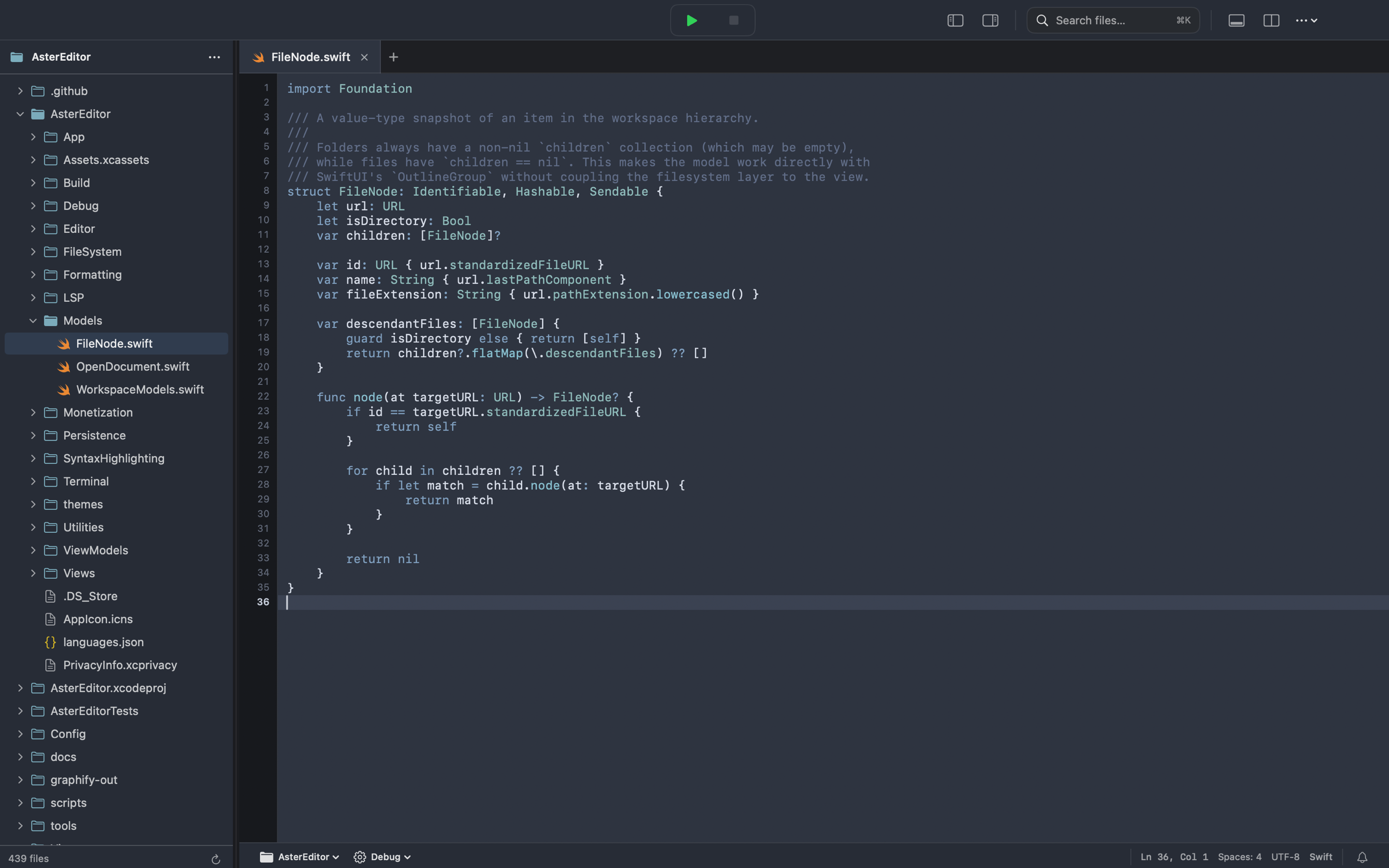
Aster's editor, with tabs, a file browser, and syntax highlighting.
One editor, two ways to work.
Aster Editor is for everyday editing. Aster Pro adds the tools for working on larger projects. We plan to offer Editor as a free download with a 30-day trial; a one-time App Store purchase will keep Editor unlocked and enable Pro activation.
Aster Editor
Open a folder, find the file you need, and get on with writing.
Aster Pro (beta)
For projects that need a terminal, build tools, and a debugger beside your code.
Aster Pro activation
Pro stays locked until it verifies an Editor unlock. Aster Editor is not yet publicly listed on the Mac App Store.
Editor must be available to download and unlocked with a one-time purchase. Its 30-day trial alone does not activate Pro; public App Store availability is pending.
In Editor, choose Create Pro Activation File and save the .asterkey file.
Import the file on the same Mac within 15 minutes.
Once activated, Pro stores the proof locally. Editor does not need to stay installed.
Made for macOS.
Aster is built with Swift and AppKit. It feels like a Mac app because it is one, from the file picker to the editing surface.
Ready when you are
Open a file and start writing without waiting for a browser-based workspace to load.
Comfortable editing
Syntax colour, line numbers, tabs, and a responsive editor keep the focus on your work.
Your folders, your choice
Aster Editor asks which files and folders it can open, and remembers the places you choose.
Undo without losing the other path.
Undo a change and try something else. Your earlier edit is still there if you want to return to it. Aster shows those paths as a tree beside your document.
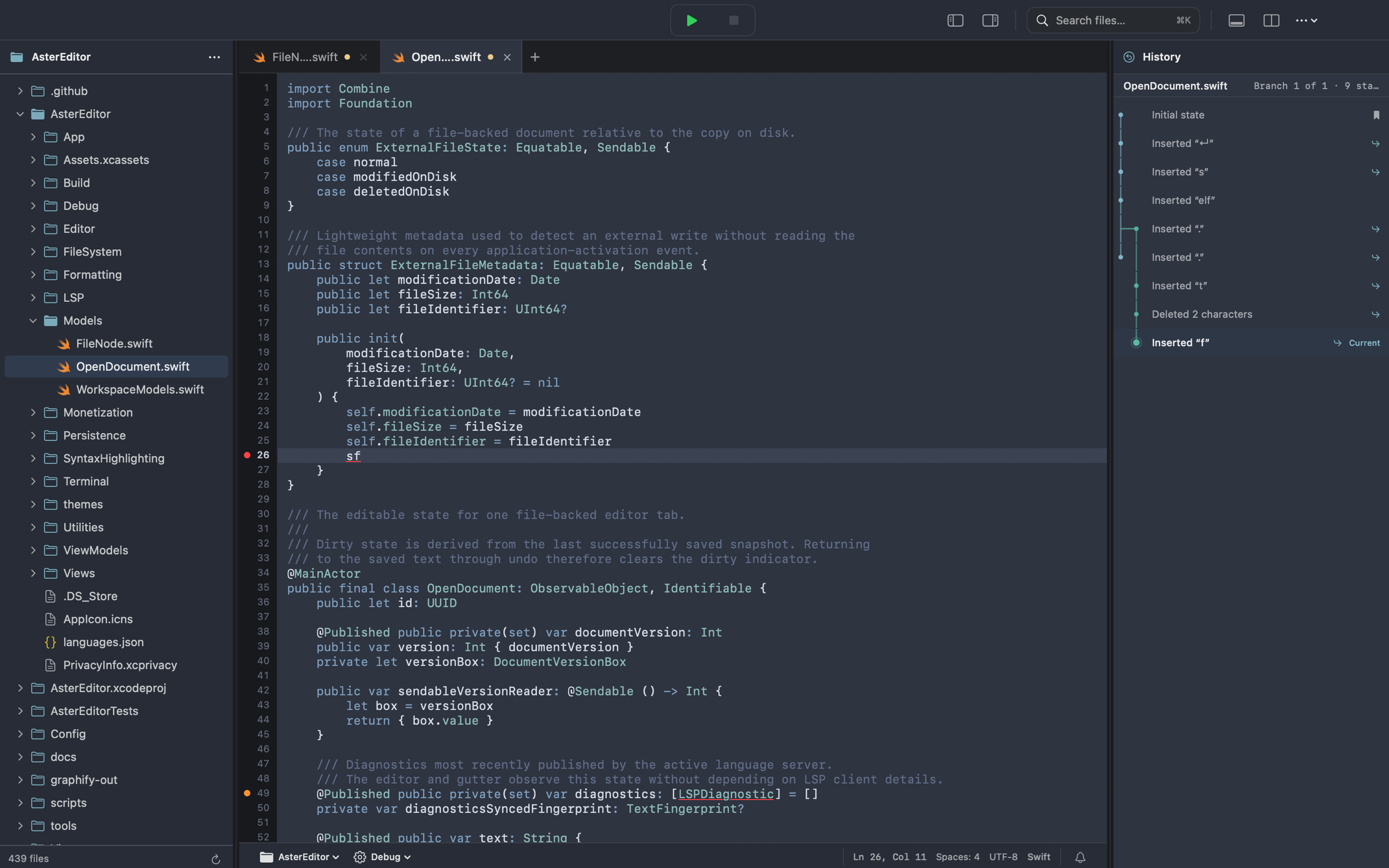
The undo history shows where your edits took different paths.
Use the [ and ] shortcuts to move between alternate edits, or choose a point in the tree.
Aster saves the history on your Mac so you can revisit earlier edits after closing a tab or restarting the app.
Find a file and keep moving.
Jump to a file with Quick Open, then get back to your code. When you need to tidy up JSON, Aster can format it while keeping the data intact.
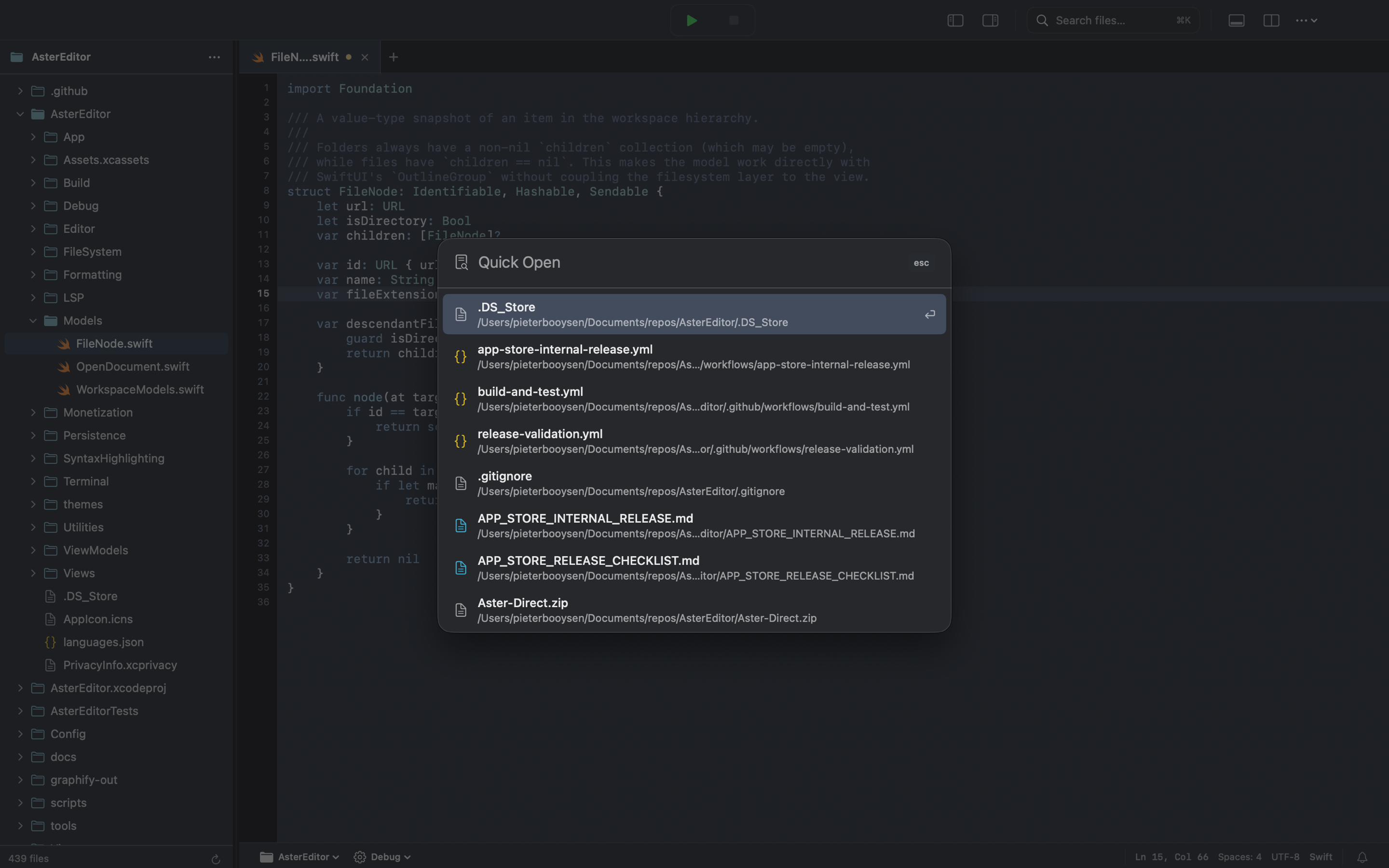
Quick Open finds files by name or path.
Start typing a filename or part of its path. Aster puts likely matches and recent files within reach.
Make JSON easier to read without changing key order or values. One undo takes you back.
Your terminal, beside your code.
Run a build, use an interactive tool, or keep a shell open while you edit. Aster Pro keeps the terminal in the same workspace.
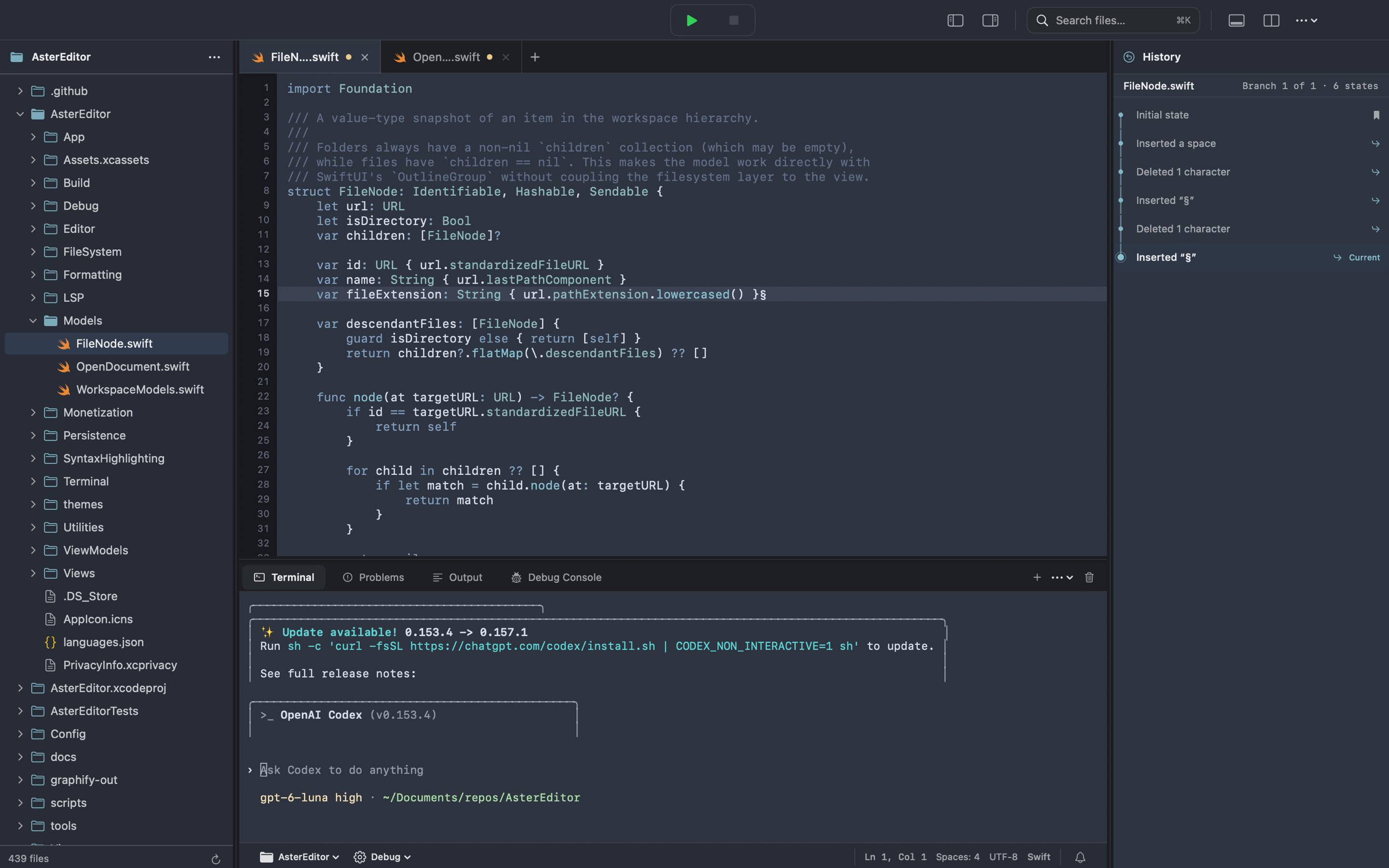
Aster Pro with an interactive terminal below the editor.
More help when the project grows.
Aster Pro connects to language servers and debuggers installed on your Mac. What you can use depends on the project and the tools you have installed.
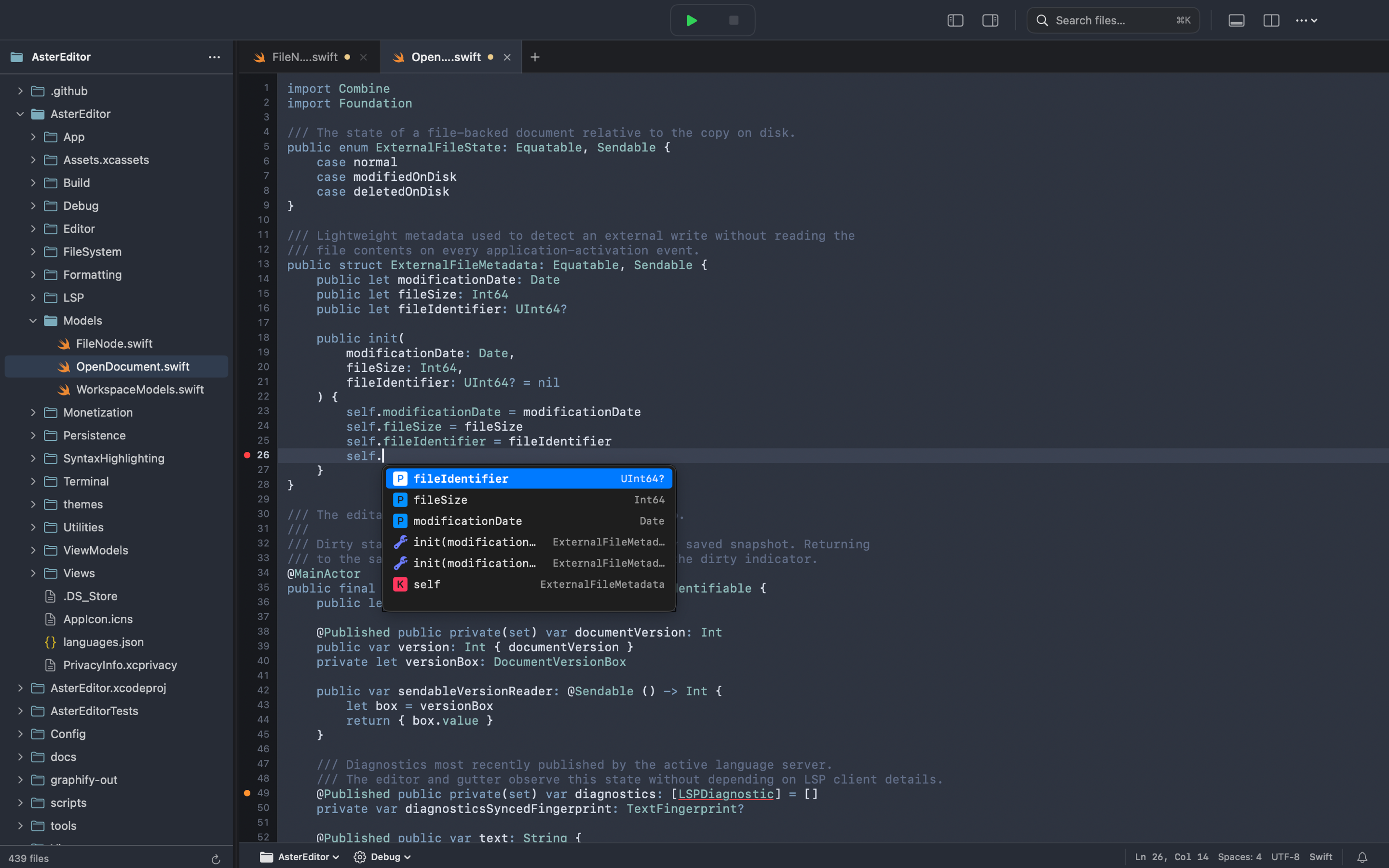
Code completion in Aster Pro, powered by an installed language server.
Use SourceKit-LSP for Swift code and LLDB for supported debug sessions.
Work with Cargo projects and get code help from rust-analyzer.
Use gopls for code help and Delve for supported debugging workflows.
Use Pyright for code help and debugpy for supported debug sessions.
Navigate C and C++ with clangd and debug supported targets with LLDB.
Get C# language features from Roslyn and debug with netcoredbg when installed.
Keep your hands on the keyboard.
Aster Editor is in testing.
We're preparing Editor for the Mac App Store while Pro remains a separate beta. Read what's built so far, or compare the editions.